
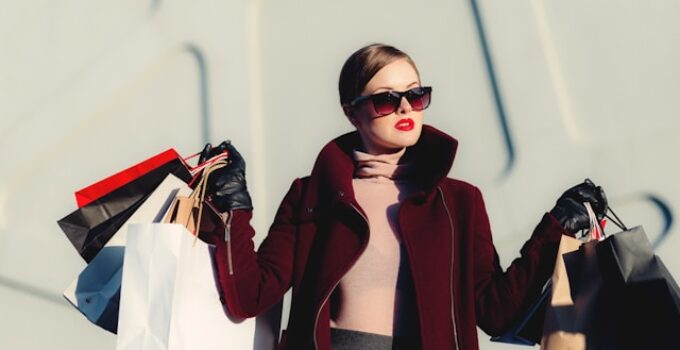
A few years ago, showing a product on a real model meant booking a studio, hiring a model, and paying a photographer — a process that could easily cost more than the garment itself and take weeks to schedule. Today, a growing set of AI tools can do a version of that job from a single photo, a sketch, or even just a text description. Some generate a photorealistic model wearing a garment in seconds. Others let a shopper see themselves in a piece before buying it. A few skip photography altogether and help design the garment in the first place.
If you’re new to this space, the sheer number of tools claiming to do “AI fashion” can be disorienting, and they’re not all solving the same problem. Below are 10 platforms worth knowing about in 2026, what each one actually does well, and where each one falls short.
Before diving in
These tools split into a few different jobs: some generate on-model product photos and video, some let shoppers try garments on virtually, some are raw developer APIs meant to be built into another product, and a couple are design tools that don’t touch photography at all. Knowing which job you actually need done makes the rest of this list much easier to navigate.
1. The New Black AI
The New Black AI is built around a full production pipeline rather than a single generation step: design, model photography, virtual try-on, tech packs, and styling all sit inside one platform, connected to a Shopify app, a developer API, and an MCP server that lets the workflow be triggered from an AI assistant like Claude instead of only a browser tab. A Brand DNA system is meant to keep output visually consistent as a catalog scales into the hundreds of images.
What stands out most is what happens after an image is generated — a built-in photo editor, a built-in video editor, and direct publishing to Instagram, Facebook, TikTok, Threads, Pinterest, and YouTube, without exporting to a separate app first. It’s used by thousands of paying subscribers across 120+ countries. The breadth comes with a slightly longer learning curve than a tool that only does one thing.
2. Botika
Botika lives almost entirely inside the Shopify admin: drop in a flatlay or an existing model photo, pick a model, and it hands back on-model images and short clips through its own app rather than a separate dashboard. Eight credits come free to start, and plans run from around $22/month for 20 credits.
It’s about as low-friction as this category gets. The trade-off is control — brands that care about exact lighting or composition will likely still want a second tool for final touch-ups.
3. WearView
WearView packs text-to-model generation, garment swap, pose control, and short-form video into a single self-serve workspace, with output resolution up to 4K — noticeably sharper than most competitors at a similar price. Exports come pre-formatted for Shopify, Amazon, and Etsy listings, a step most tools leave for the user to handle manually.
There’s no free tier to test it with first, so budgeting for a paid plan from day one is part of the decision.
4. Fitroom.ai
Fitroom solves a different problem than most of this list: instead of generating a catalog, it lets a shopper see themselves wearing a piece before they buy, through a “try it on” widget that plugs into Shopify, WooCommerce, or Magento via API. A free plan covers 10 credits a month, with paid tiers around $16 and $29.
It’s a strong, specific pick for a return-rate problem — it isn’t trying to replace a photography workflow, and it shouldn’t be evaluated as if it were.
5. fashn.ai
fashn.ai skips the dashboard almost entirely and ships as a set of REST endpoints — virtual try-on, model creation, product-to-model, image-to-video — priced from roughly $0.075 per generation and cheaper at volume. On a pure per-image basis, it’s the least expensive option on this list, provided a team has engineering time to build against an API rather than click through a UI.
Default output resolution is modest unless a higher tier is purchased, and there’s no plug-and-play Shopify app — this one is squarely for developers.
6. VModel.ai
VModel.ai runs on credits instead of a subscription: buy a bundle once, spend it whenever, and nothing expires. New accounts start with roughly $10 in free credits, and bundles scale up to $1,000 for heavier use.
That structure suits brands with lumpy, seasonal shoot volume better than a monthly plan would — though it doesn’t bundle in the design or publishing features that fuller platforms include.
7. Canva
Canva isn’t a fashion tool by design, but its Magic Studio AI suite can generate model-style images from a text prompt and clean up product photos inside the same app most marketing teams already use for everything else. The free plan covers basics; Pro runs about $9-13/month.
What it can’t do is guarantee exact garment fidelity, so it earns a spot here as a supporting tool, not as the system of record for a real catalog.
8. HuHu
HuHu handles the standard inputs — flatlays, hanger shots, ghost mannequins — and adds unusually granular control over model attributes like body type, age, and skin tone. Larger brands can step up to a concierge tier that pairs the AI with a human production team. Paid plans start around $20/month.
The sheer number of options can slow down a team that just wants a fast, single-click result, which is worth knowing going in.
9. Yoona.ai
Yoona.ai is on this list for a different reason than the other nine: it doesn’t photograph anything. It generates new garment concepts and full collection plans from a sketch, a prompt, or trend data — a design tool, not a photography one.
It’s best paired with a model generator once a design is finalized. Think of it as the step before the rest of this list, not a substitute for any of it.
10. Lalaland.ai
Lalaland.ai built its name on AI models with real diversity across body types, ages, and skin tones, and for a stretch it was one of the most recognizable brands in this space. After Browzwear acquired the company in 2025, that technology moved inside Browzwear’s enterprise 3D-apparel suite.
It’s still on this list because the underlying model quality earned its reputation — but it’s no longer something a small brand can just sign up for on its own; it’s now sold as part of a larger enterprise workflow.
Picking between them
Want one platform instead of five separate tabs?
The New Black AI and HuHu both keep design, generation, and publishing under one login rather than requiring a stack of point tools stitched together with exports.
Is Shopify basically the whole business?
Botika and The New Black AI’s Shopify app both publish straight to the product listing, which is the fastest path in if the storefront is the priority.
Does a developer own the integration?
fashn.ai and VModel.ai are priced and built for that — per-call or per-credit, no dashboard required — rather than for a marketer clicking through a UI.
Quick answers
Is there a genuinely free option on this list?
Several offer some free usage — Botika, Fitroom.ai, Canva, HuHu, and The New Black AI all have a limited free tier — but none of them hand over high-resolution, watermark-free, commercial-ready output without eventually paying.
Which one should a small Shopify store start with?
For product photos with the least setup work, Botika or The New Black AI’s Shopify app are the fastest path in — both publish directly to the product page instead of leaving manual uploads to the user.
Do any of these connect to an AI assistant like Claude?
The New Black AI is the one platform here with an official MCP server, so generation and other platform actions can be triggered directly from Claude instead of the web app.
Is it normal to use more than one of these tools at once?
Yes, often. A common pattern is pairing a design tool like Yoona.ai with a photography platform once a concept is locked, or layering a developer-first API like fashn.ai on top of a full platform for one specific high-volume use case.
References
The bigger picture
None of these tools fully replace a real photoshoot yet, and they’re not trying to solve the same problem as each other — a design generator, a try-on widget, and a full production platform serve genuinely different needs. The right starting point usually comes down to one question: is the bottleneck design, photography, or getting the finished image to actually sell something? Once that’s clear, this list narrows fast.

